Sunday, March 29, 2015

Internet Safety, Cyber-bullying

There was a long time, while growing up in a relatively safe suburban neighborhood, that I was very careful about walking around the block. This is because a boy about my age who lived there had pushed me around once. To me, he was a bully. This is not my son’s experience. He is more likely to get roughed up on a gaming site online than have this problem in our neighborhood. 

Indigo awareness ribbon for cyber-bullying
The city where I grew up had a down town area that was relatively small. It was very depressed economically and needless to say it was a part of town where you wouldn’t want your kids to go. Between porn shops, pawn shops and the street people, the area was deemed unsafe by my family, so it was an area we avoided. Things have changed. The down town area is now a vital place to go and people’s attitudes have changed. But it is this image from my past that comes to mind when I think of the dark side of the internet. That part of the internet and the virtual world we work to keep kids from experiencing.  

Internet safety, like a part of town you would want to avoid, a place you would not want your kids to go, a place from which they would need protection. Internet safety is not just about places on the intent that may be dangerous but keeping an eye out for threats coming on to your computer and devices from devious sources. This was the topic for week eight AAU Integrating Technology Into Art Education Settings.  As teachers introducing technology into the classroom we need to make sure, not only are our classrooms safe but that the environment within the technology we are introducing is safe as well.

There is so much to be said on this topic of Internet Safety as a parent, I find myself filling with dread and guilt. Did I do enough, am I doing enough? There are so many websites and blogs devoted to the topic. I’m using the focus of this week be the inspiration to find out more. 

Cyber-bullying has not been a direct experience in our family. We do hear stories about difficult experiences from my son’s schools. Girls ganging up on each other using social media. A boy normally thought of as a nice guy posting pictures of a fellow student in an unfortunate situation. 


It is a rather overwhelming topic and there are many websites and blogs devoted to helping victims, parents and the community.  

Kids Safe is a great cyber safety site with lots of information for parents and children. 
I spent some time looking at some bully prevention programs that include reporting apps. It took me a while to realize that these are comprehensive bully programs. The cyber component of the program include an app for reporting bully events or event potentially leading up to a bully event. 

One of these services is called STOPit. STOPit is a service and software application configuration that works in coordination with a participating school. Students download an app to their phone and configure the app know who a trusted adult is for the student. If an incident occurs the student can contact the trusted adult among other things. Another similar service is called Cyber-Bully Hotline

These both sound like a good initiative for a school with a large pool of students increasing the possibility of a bully threat cyber or otherwise. It does seem that there is quite bit of overlap between cyber bulling and traditional bullying. 

Another App, Bully Block was designed with bullies in mind for people using Android phones. Different from the apps above, this is a stand alone product. The app is  designed to block specific people’s phone calls and text messages once that person has been identified as a bully. 

Another app I found is called Visr. This is app that monitors a child’s smart phone activity in order to detect in unsafe activity. Their focus is on social media settings and other indicators of insecure exposure for a child’s phone. The app let’s parents know when one of these indicators come up without sharing details that a child might consider spying on them. This seems like a reasonable approach and worth considering. Parent’s taking this kind of responsibility for their child’s social media would take a lot of pressure off schools dealing with the same issues. 

I also spent some time on a website featuring iRules, a Janell Burley Hofmann website. Hofmann writes about parenting and technology for the Huffington Post. A contract she called iRules, written for her 13 year old son to go with his first iPhone was posted on the Post website and went viral. She now has an elaborate website devoted to parenting and cyber issues.  

Here is a beautiful little anti-cyber-bullying video I found on the JanellBurley Hoffmann’s blog


It was posted by a European group called Delete Cyber Bulling. They have their own app that is usable is several countries from the Euopean Union. There are a handful of interesting videos on their site as well. 

The topic of internet safety and cyber-bullying is an important one that needs to be addressed by parents, teachers and students on an on going basis. Cyber space presents new challenges to being good citizens. None the less, being that good citizen is something we want to make sure our students and children have the skills and insight to become.  

Saturday, March 14, 2015

Welcome to Club Robot Sculpture

I have already confided an apparent confusion
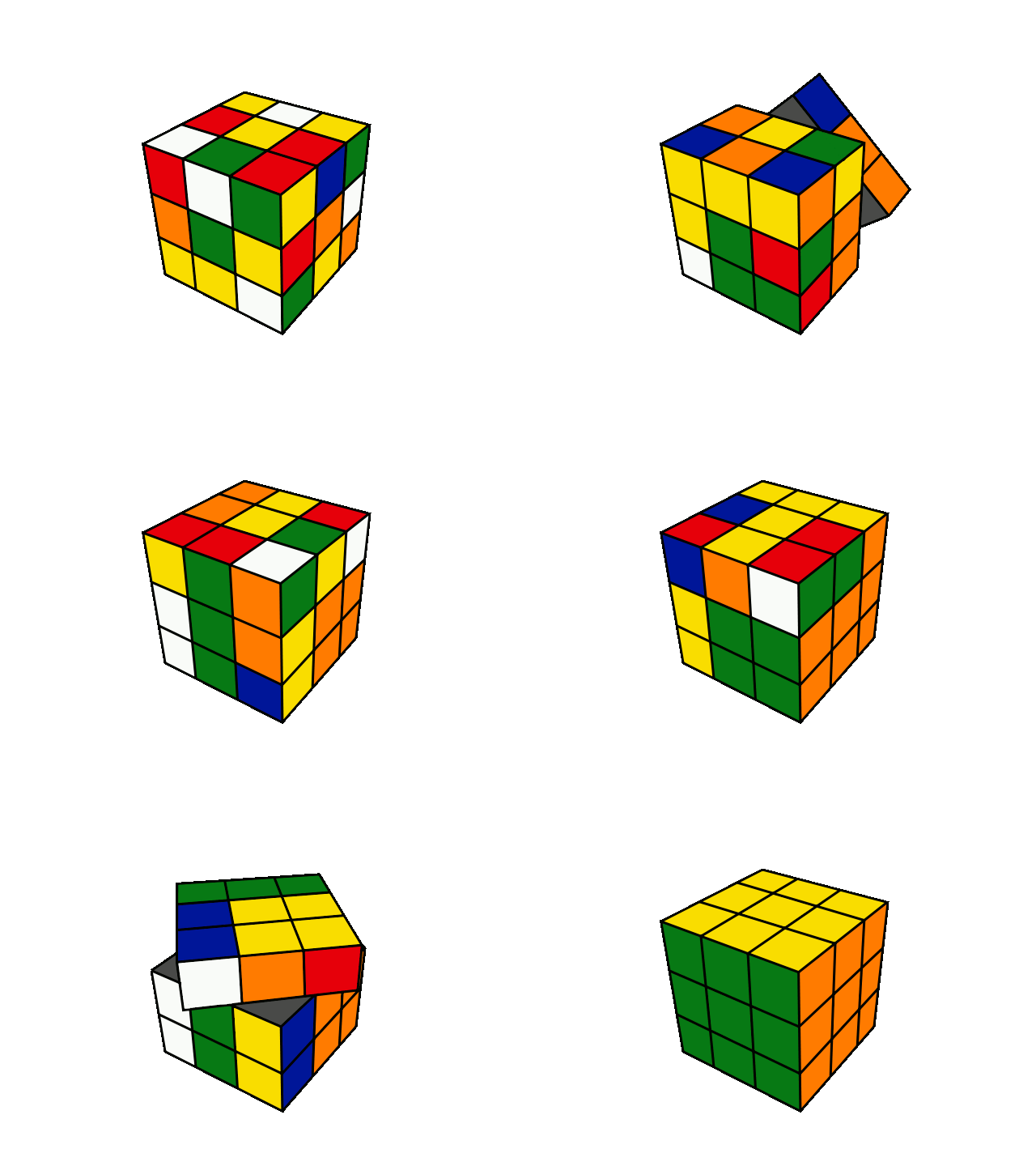
between Rubric and the Rubik’s Cube, which hindsight seems very silly.

Silly or not, here my confusion continues with a Wiki. I thought the name wiki was based on the idea of a wicking candle. For me at least, wicking a candle seems to give a visual way of remembering the root of the Wiki idea, software that allows for collaborative authoring. Wikipedia describes wiki software as software that “allows collaborative modification, extension, or deletion of its content and structure.” A wiki is further differentiated from a blog “in that the content is created without any defined owner or leader, and wikis have little implicit structure, allowing structure to emerge according to the needs of the users.”

In fact the word wiki comes from Hawaii. Ward Cunningham, the author of the first Wiki software named it Wiki based on his experience with a Hawiian bus the Wiki Wiki, a form of quick transit. Wiki is a Hawiian word meaning quick and Cunningham had in mind a quick database authoring tool. Isn’t it great we have Wikipedia to figure these things out. 

This week in AAU, Integrating Technology into Art Education Settings, we have been looking at Educational Wikis. Well, I’ve already said that I had some confusion about the root of the word wiki. It has also been difficult to separate the idea of wiki from Wikipedia, a word sometimes thought to be synonymous with encyclopedia. 

As I tried to think of what kind of wiki I might create I consulted with my son and his perception matched mine in some ways. How, he expressed, can a classroom of students contribute in a meaningful way to accumulated and authoritative knowledge? As I tried to explain my new understanding of wiki to him I used his computer club as an example. Wouldn’t it be great if there was a database where you and your friends could go to find out what worked and what didn’t work when building a competitive robot. And wouldn’t it be great to have a place where you and your friends could find out all the rules and dates for the competition? While trying to convince my son I convinced myself. A day or two later my son shared with me a robot club wiki site from the Pioneers in Education.
Carissa RogersSassy drawing of Robot
This thought process became the basis for my looking into the idea of a robot sculpture club. I found some great examples of robotic sculptures to share. I posted these sites with the idea that I’d like students to find more sites to share. 

I invite you to join the Robot Sculpture Club Wiki and contribute examples of robot sculpture. My vision for the club site would be for it to inspire and support student classes and clubs interested in learning and sharing about robot art and sculpture.


Saturday, March 7, 2015

A Photographer of Sculpture


I came on a great opportunity last month. 

I responded to an announcement from the AAU Fine Art Sculpture Department and was hired to do a work study position there. In this position they have asked me to take pictures of their students and their work, finished and in progress for the department’s Facebook page. 

So for the past couple weeks I've been focusing my lens on students in life size sculpture, figure model sculpture, portrait sculpture, animal sculpture, wheel ceramics, neon sculpture and forging and welding sculpture classes. As you can imagine, I’ve been having a lot of fun. 

When I introduce myself to students some ask me if I’m a photographer. I usually answer, “I am now.” In fact my background in photography is very similar to my art background, I’ve done it my entire life but not professionally and not always with the confidence that the term implies. The question is a bit silly, like asking if your an artist. We all take photos these days. Many if not most of us now carry cameras with us on cell phones and get beautiful results. 

Our unit this week for the AAU Integrating Technology into Art Education is focused on the use of the digital camera. This has been a great opportunity for me as I ramp up my photography skills to review and relearn some photography basics. I was happy to be reminded about various ways of blurring the background by changing the aperture, speed and sensitivity settings. 

We also learned some Photoshop basics. I wanted to used a picture I took of a sculpted face that had been left on it’s side a classroom.
After sifting through some old photos I found one of my son kicking a log down a beautiful beach. I decided to replace the log on the beach with the sculpted head. 


Here is the beach without the log.


Here’s the log replaced with the head. 

 Here I cropped the photo to bring more attention to the sculpted head. 


I am pleased with the result and I’m happy to be using photoshop again. 


Sunday, March 1, 2015

Sticky Rocks; Memorable Points

The topic of PowerPoint and it’s detractors made me want to go into the Way Back Machine.


Do you know the WayBack Machine? A web service that keeps an archive of the internet

We read two articles about the pros and cons of slide production software, Microsoft PowerPoint, most pointedly in this week in the AAU course Technology in Education. The two articles, PowerPoint is Evil by Edward Tufte and Learning to Love PowerPoint by David Byrn were published by Wired Magazine in 2003. It made me wonder what Peachpit was publishing on PowerPoint that year. Peachpit is a creative technology book publisher that I worked with for fourteen years. I was doing corporate sales and marketing for Peachpit in 2003.


The WayBack Machine does not always offer a complete picture but I was able to see Peachpit had at least two standard PowerPoint books that year, Creating a Presentation in PowerPoint and PowerPoint for Windows 2003Visual Quickstart Guide. The Visual QuickStart Guide would be a very straight forward guide to using the software without any attempt to help with a good presentation. Creating a Presentation in Powerpoint would offer ideas about making a good presentation. As a Visual QuickProject guide, it was probably a pretty bare bones look on the subject.

Maybe what is most interesting is that was the year that Apple came out with it’s competing slide software, KeyNote. Apple’s KeyNote product would bring more of a design sensibility to the software but from my point of view it was ultimately the same tool. The challenge is educating a user to use prescribed design elements to support but not overwhelm a presentation.

The issue has seemingly been around for as long as slide presentation software has been heavily adopted by institutions from corporate america, education and even xthe military. According to Wickipedia. even the United States Military lean excessively on the software. Junior officers can spend a majority of their time preparing PowerPoint slides. While useful for briefings it may not be the best approach to decision making which lead some Generals to limiting the use of the software.


Ultimately my research lead me to a book that focuses on good presentation skills, Presentation Zen: How to Craft a Presentation with Messages that Sticks By Garr Reynolds. A key chapter shared online from Reynold’s book focuses on how to make a presentation ‘stick’. His ideas come from Made to Stick (Random House) by Chip and Dan Heath. He uses their acronym for creating a sticky presentation, SUCCES, Simplify, Unexpectedness, Concreteness, Credibility, Emotion and Stories.  Each of these elements play an important role in making a successful presentation.

Simplicity gives your presentation with the basic elements that people want to know. It does not mean dumbdown your prevention. Unexpectedness keeps your audience on the edge of their seat. Concreteness reduces the abstract qualities that can creep in as we try to communicate our ideas. Credibility shows you know what you are talking about, giving a grounded context to your presentation. Emotion brings a human connection into what you are presenting. Stories are also very basic to our instinct to communicate.

I created a powerpoint presentation about teaching styles. This lesson came from AAU Online course, Teaching Audiences in a Diverse Society. The lesson is about teaching styles. I started the lesson with the fundamentals of multimedia in mind. I wanted to engage more than one of my student’s senses. I found some images to support my concepts including an antiquated lecture hall for the subject of surgery. I began imagining the image presented in a museum with an audio back drop.

My ideas about the presentation progressed after watching some examples of effective presentations including  Death by PowerPoint. The best of these were fast paced slides with only a few words on each. I added another image with some audio and then played with how the words appear on the screen over several slides.


Sticky Rocks, Big Sur California

I did not have a chance to use Garr Reynold’s ideas about making a presentation stick. After reading his work. I’d like to spend more time on a future presentation. I think creating and delivering effective slide presentations is an art form that takes time to develop. Time that presenters and teachers often don’t have. This leaves us with age old question; Where’s the Art?

What do you think?


Sunday, February 22, 2015

Rubrics Cubed

The name of the Rubik’s Cube puzzle sounds very similar to the rubric, a list of specific criteria for scoring academic projects. Indeed, if you look at the structure of a typical rubric with it’s matrix columns and rows and compare it to the famous cube you might think the two were related. Or not. In fact Rubik is the name of the Hungarian sculptor who invented the cube in 1974. It is not related to the rubric at all. Only in the mixed up mind of someone, like myself, who’s been working on getting his mind around writing his first rubric this week. 

What would a Learner Blog Rubric look like? I did a lot of thinking about this during the course of the week. This was central to our week four study of Technology in Art Education at the Academy of Art University. When left to think freely my mind comes up with images and mix up of words and concepts. 
Imagined Learner Blog Rubric


My ideas for a Learner Blog Rubric changed several times through out the week and then I took this assignment with me to Los Angeles on Friday. Into LAX late morning and out late at night the same day. My thoughts continued to change during this time right up until today when it was time to be finished.

I want to quote Patty Knott a contributor to Incredible @rt Department regarding creating a Rubric for Grading Art. She writes, “The important thing in designing rubrics is that YOU believe in what you are evaluating is important and you consider what the students think is important.” 

What Knott says here sounds like a good starting point for my rubric. I’d like to start my thinking at the broadest level I can imagine for a rubric. For me this would be inspiring students to take the risk of putting their work into a public space and inso doing, join a conversation. The conversation would include some self reflection, openness to student’s own ideas and to the ideas of their peers. That is already four high-level ideas for a rubric. A second level of engagement would be in terms of clear communication. Subheadings here would have to do with language, design and cultural sensitivity. A final layer would be to show some engagement in the media itself. I’m imagining a student using one or more of the follow as a vehicle for expression; photos, video, audio, written language, the internet, blogging or some other form of personal expression that can be shared in a learner blog. 

At some level this learner blog could be a vehicle for learning english language skills or art and design skills or many other subjects. These various subjects have some very specific metrics for measuring success in the context of a blog. I kept my thinking related to the blog itself. 

My ideas start rather broad and then I wrestle with making them more concrete and measurable.  Headings I went through included self reflection, openness to self work and openness to peer work. I shifted gears and started thinking in terms of point of view, strategy, consistency, effective communication and overall success. I ended up focusing on Subject, Strategy, Consistency and Effective Communication. 

Learner BLOG Rubric

A (85 -100%)
B (60 - 84%)
C (40 -59%)
D (0 -39%)
Subject
Student effectively defined a Blog topic that showed a thoughtful understanding and consideration of class objectives
Student effectively defined a Blog topic related that showed a some understanding and consideration for class objectives
Student effectively defined a Blog topic related class prompts that showed just a very basic understanding of class objectives
Student effectively defined a Blog topic related class prompts that showed no consideration for class objectives
Strategy
Student described a CLEAR intention and consideration for pursing their Blog topic over time. This could include projected timeline for posting, specific sub-topics to cover and other ideas about how to approach the topic.
Student described SOME intention and consideration for pursing their Blog topic over time. This could include projected timeline for posting, specific sub-topics to cover and other ideas about how to approach the topic.
Student described LITTLE intention and consideration for pursing their Blog topic over time. This could include projected timeline for posting, specific sub-topics to cover and other ideas about how to approach the topic.
Student described NO intention and consideration for pursing their Blog topic over time. This could include projected timeline for posting, specific sub-topics to cover and other ideas about how to approach the topic.
Consistency
Student was EXTREEMLY consistent in their effort towards documenting their topic over time and relative to their strategy.
Student was REASONABLY consistent in their effort towards documenting their topic over time and relative to their strategy.
Student was SOMEWHAT consistent in their effort towards documenting their topic over time and relative to their strategy.
Student was NOT consistent in their effort towards documenting their topic over time and relative to their strategy.
Effective Communication
Student used EXTREMELY clear communication in blog posts. This can include, use of language, spelling, grammar, source siting. It includes use of design for communication and the use of other media like photos, video, audio and digital versions of other art work.
Student used REASONABLY clear communication in blog posts. This can include, use of language, spelling, grammar, source siting. It includes use of design for communication and the use of other media like photos, video, audio and digital versions of other art work.
Student used SOMEWHAT clear communication in blog posts. This can include, use of language, spelling, grammar, source siting. It includes use of design for communication and the use of other media like photos, video, audio and digital versions of other art work.
Student used NOT very clear communication in blog posts. This can include, use of language, spelling, grammar, source siting. It includes use of design for communication and the use of other media like photos, video, audio and digital versions of other art work.


My  hope was to develop a rubric for a stop motion animation class. I did start some thinking that way but are still in progress. When thinking about broadly about engaging students in stop motion animation I am interested in having them question what they see, especially in terms video, gaming and animation. Why is it you believe what you see when this happens on the screen.

What do you think? Leave your comments below. 

Sunday, February 15, 2015

Technology on the Water; Keeping a balance of technology in the art classroom

There is always a free San Francisco Examiner for you when you get off at the Bay Area Rapid Transit at Montgomery Station.
photo credit Zarko Drincinc External link  under CC-BY-ND
A man at the top of the escalator hands the paper to anyone who will take one, reminding them it is free. It has the look of a traditional paper, a paper of substance. I’m always surprised how it feels when you take one, a handfull of pages. Just the same it has a beautiful nostalgic aesthetic, an attractive font announces the name of the paper and bold fonts announcing the headline below.  A faint echo of a media that was once thick with news and advertisements.


There are many parallels that can be drawn as technology changes industries and institutions. One institution that has seen little changes over the year but now seems poised for change is that of teaching. This is one of the more striking things I have found so far from what we have been learning in the Integrating Technology into Art Education Settings course at the Academy of Art University


This past Tuesday as I got off the escalator at the Montgomery Station, I grabbed the paper because the headline resonates with what we are studying in class. Headline for Tuesday, February 10th, “Technology Timeout; SF Teens To Take A Break From Devices”.  How appropriate, the article by Laura Dudnick, spells out why schools are making a push to put more technology in the classroom while at the same time trying to retain a balance.


I am of two minds about the beauty of all of this technology. I greatly enjoy media. I have made media technology a part of my world for a long time. I enjoyed working with 8mm film and then portable reel to reel video recorders in the seventies. Personal computers, smart phones and the internet has just made all that I enjoy, just that much easier.


While I enjoy new media technology I also find it overwhelming and resistant to limit setting. My perspective comes in large part from being the parent of a teenager. There is  an overwhelming side of new media technology. Phones, iPads, laptops and other computers are taking over all aspects of our lives. When setting a limit for my teen it’s hard to make that same limit for myself. I have online assignments to complete, articles to read, banking to do, taxes to pay, all the business of managing a home, train as a teacher, develop as an artist and oh so much more.


I couldn’t resist drawing a comparison between changing industries like that of the newspaper and institutions like teaching with changes on the horizon. Seeing Laura Dudnick’s article in the Examiner seemed poignant in light of this class but I’m really very excited to get started.


In these first weeks of Integrating Technology into Art Education Settings we have looked at an overview of Web 2.0 tools and how they are expected to impact the classrooms of today and of the future. Specifically we looked at Google Docs. We created a document on our own and, defying space and time, we created a document with a fellow classmate online.


I greatly enjoyed the process of creating a project with fellow student Charelese Thomson. We shared and developed ideas with a surprising amount of ease. We drew inspiration from the Philip Scott Johnson’s Visages d’Art and colorful portraits such as this one.


tony a.k.a ironman by doepicshitt
tony a.k.a ironman, by doepicshitt


From that we toyed with ideas for developing a lesson plan that would take advantage of students from various backgrounds sharing and morphing their self portraits using Google Docs.  You can see that lesson here.

Moving forward, I am excited about opportunity to creating a balanced lesson plan that integrates technology. As part of a Richmond Art Center Art in the Community Program I developed a stop motion animation curriculum that is ready for an update. I am hoping that this is an opportunity to more successfully integrate new media technology into that curriculum. As part of that effort I look forward to documenting my process in this Blog.
At the Contra Costa County STEAM Colloquium doing stop motion animation

At the same time I am looking for ways to keeping a balance of technology in the learning experience. I think there is much to be learned by the experience of schools like Convent of the Sacred Heart High School who are experimenting with having their students take breaks from the same technology they are advocating in the classroom.
What do you think? As a class member or a community member, I invite you to share your feedback and suggestions here.

Wednesday, February 11, 2015

Welcome

I'm looking forward to exploring the appropriate and ideal use of today's media technology in the art classroom.